Make progress feel alive
Small coding moments become visible care, giving your work a gentle sense of momentum.
A tiny companion for your coding days
Pushtopia is a friendly macOS companion that turns eligible GitHub activity into gentle changes in your pet’s needs, plus levels and streaks. Human pushes feed it. Successful workflows restore health. Reviews can lift or lower its mood.
$ beta download coming soon · macOS 14+ · menu-bar app
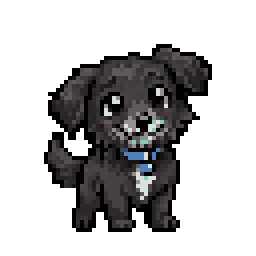
Illustrative starting values · the app does not keep an activity feed.
Small coding moments become visible care, giving your work a gentle sense of momentum.
Your pet lives quietly alongside your workflow, without noisy streaks or heavy dashboards.
A lightweight menu-bar companion designed for the way you already work. No webhooks or repository hooks — GitHub is checked on a rate-aware schedule.
The loop
Connect a GitHub account in the macOS app and choose repositories to monitor. Pushtopia checks GitHub on a rate-aware schedule and can also watch folders you configure locally. No webhooks or repository hooks are installed.
Authorize Pushtopia through GitHub Device Flow. The token stays in macOS Keychain; access depends on the permissions you grant.
$ open -a Pushtopia # → enter code ABCD-1234Choose repositories from those your GitHub authorization can access. You can also configure local folders for push detection.
watching acme/api · acme/web · you/dotfilesGitHub checks and optional local folder monitoring detect eligible activity. A local commit alone does not count as a push.
push ▸ needs · XP · streaksSee your pet’s needs, mood, level and streaks in the menu bar and pet window. Activity details are not presented as a saved feed.
needs · level · contribution · green CIThe rules are kind
Eligible human pushes feed your pet. A local commit by itself does not.
+10 per pushGreen workflows keep it well.
+5 passed · −10 failedReviews on your PRs shape happiness; closing a PR without merging also lowers it.
+10 approved · −10 requested · −5 closed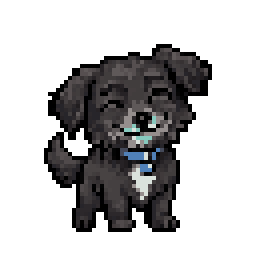 HAPPY☼ ≥70 · ♥ ≥50 · ◆ ≥40NEUTRALan ordinary moment
 SAD☼ <30 or ◆ <20
 SICK♥ <30
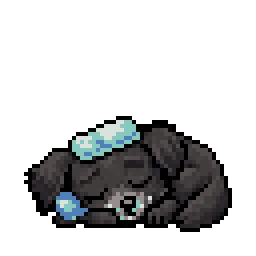 EXHAUSTEDall zero · recoverable
Pick a companion
Selected companion: Brita
In the app
Your activity shapes the pet. Your progress stays focused on the things that matter.
Eligible pushes, successful workflow runs and approved reviews earn XP. Levels follow a steady curve, and rewards are deduplicated.
XP stays with your progressTrack consecutive contribution days and the count of successful workflow runs since a failure. Gaps and unknown coverage are treated carefully.
Contribution · Green CIAccount sync is optional. Sign in with the same GitHub account to recover your pet progress on another machine.
Off until you turn it onShare your progress
Turn on the badges you want in Settings, then add the generated SVG to your GitHub profile README. The values refresh as your progress changes; only selected values are public.

Preview values are illustrative. The beta badge appears only when the server marks the account eligible, and a pet badge can show your chosen pet name or its species.
Privacy by default
This site does not access your GitHub account. Sign-in happens in the macOS app through GitHub Device Flow. GitHub activity and pet progress are processed on your Mac; if you opt into account sync, limited pseudonymous progress data is sent to our backend so it can be recovered on another Mac. When configured, minimal app-open analytics is on by default and can be disabled in Settings. No webhooks or repository hooks are installed.
Early access
The Pushtopia macOS beta is being prepared for distribution. The download link will appear here once the signed installer is ready.
Requirements: macOS 14 Sonoma or later · Apple silicon · no Electron, no WebViewQuestions?
Sign-in is available inside the macOS app through GitHub Device Flow. A public web login is not part of the app. A public support contact will be added before beta invitations.